Buuky Help
This page is also available in: Deutsch

Visitor Passes Management

Tags:

This page is only visible to users who have been assigned the "Visitor Management" right.

Visitor passes can be configured under "Visitor Passes":
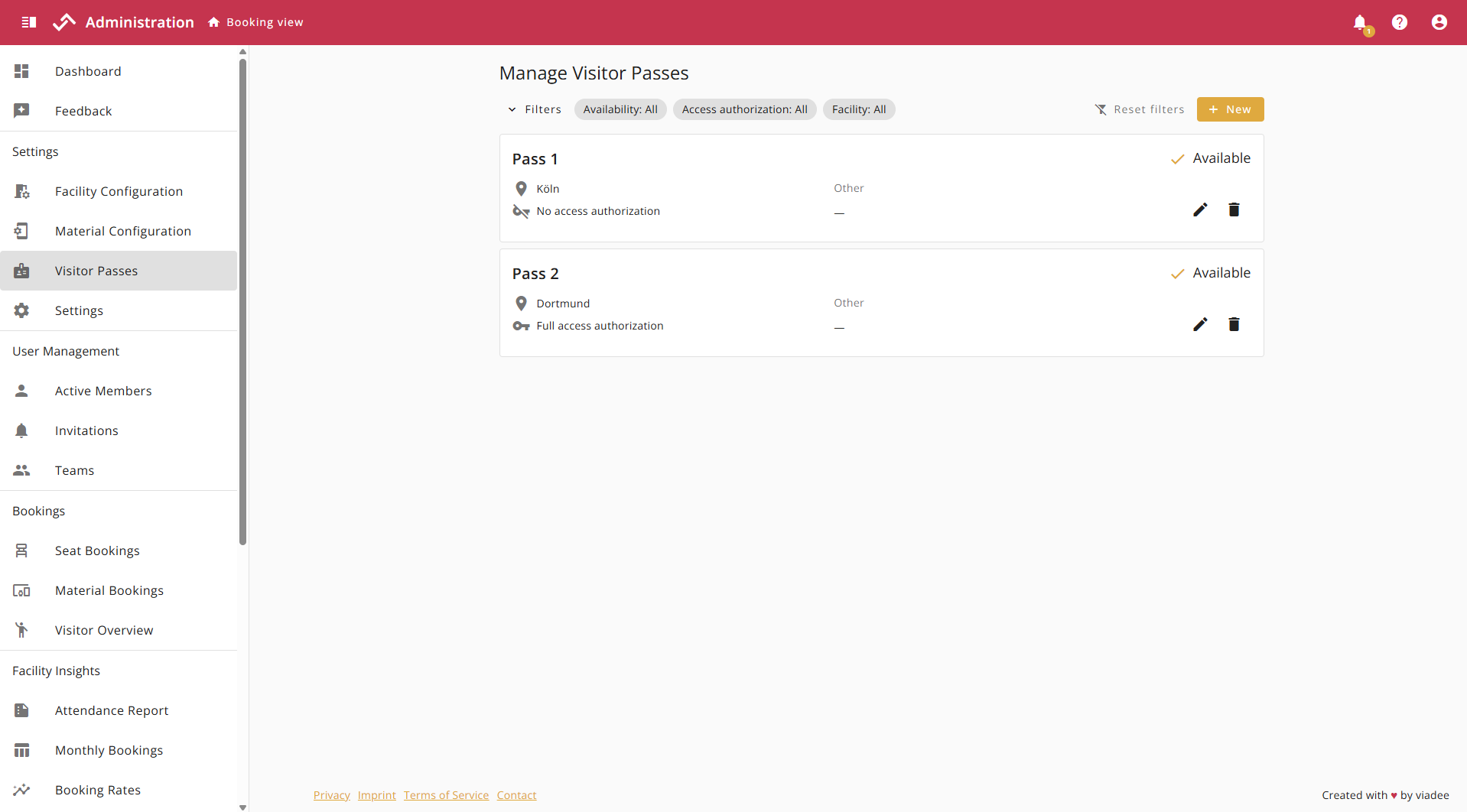
Visitor Passes

Create new Visitor Passes

Clicking the "New" button in the upper right corner opens the dialog for creating a visitor pass. The following attributes can be set for the badge in the dialog:
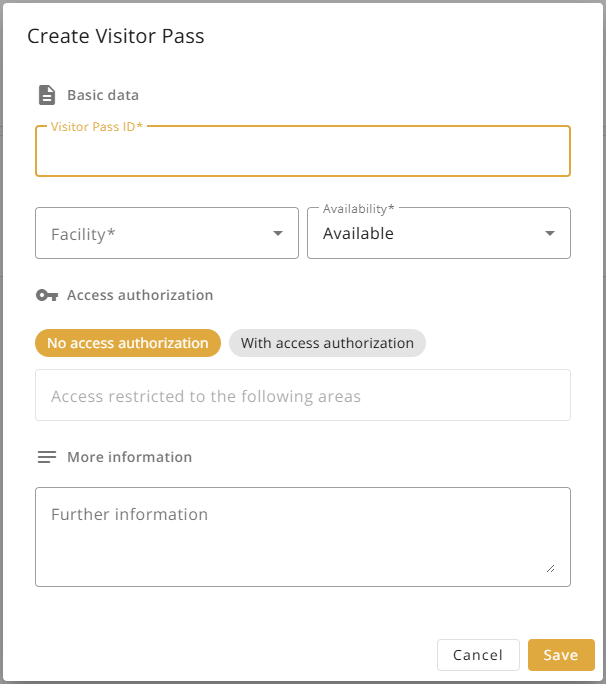
  • Visitor Pass ID
  • Facility
  • Availability
    • Available: The Visitor pass can be used for visitor check-in.
    • Blocked: The Visitor pass is blocked and cannot be used to check-in.
  • Access authorization
    • No access authorization: By default, the Visitor pass has no access authorization.
    • With access authorization: A specific access area can be defined to which visitors are granted access. If no further restrictions are specified, full access rights apply.
  • More Information

Create Visitor Pass Dialog

Edit Visitor Pass

The edit icon opens the editing dialog, allowing all fields of a visitor badge to be edited at any time.

Visitor Pass Edit Icon

Delete Visitor Pass

A visitor pass can be deleted directly by clicking the delete icon. This function only works as long as a visitor pass is not currently occupied.

Visitor Pass Deletion Icon

Filter Visitor Passes

The expandable filters, accessible by pressing "Filters" in the top left corner, allow you to filter existing visitor passes according to various criteria such as availability, access authorization, or facility.
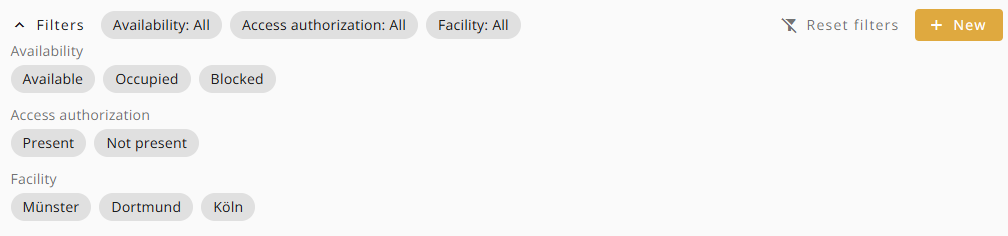
Expanded Filteroptions


This page is also available in: Deutsch