Buuky supports the synchronization of seats with rooms from Microsoft Outlook. You can recognize synchronized seats by the Outlook icon in the booking field or on the map.
The booking works as usual via the booking dialog. In addition, enter a name for the appointment in the “note” field - this will then also be displayed in Outlook.
Navigate to the calendar and create a new event. It is important to select the synchronized room as the location:
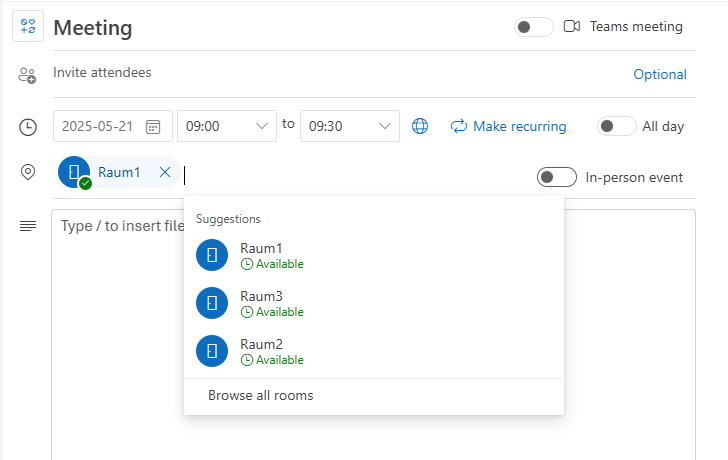
You can also edit or cancel the created event afterwards. All actions are automatically synchronized.
Note: It is possible to create series bookings in the same way as in Buuky. Please note that by default, Microsoft only allows serial bookings of rooms up to 180 days in the future.
